Vantage Fit offers a variety of challenge formats to keep your wellness programs fresh and engaging. Some formats can be set up directly by your HR admin through the Vantage Fit Admin Dashboard, while others are managed by the Vantage Fit operations team for more complex programs. Here’s what each format looks like and how it works.
Self-Serve Challenges
These five formats can be created and launched by your HR admin at any time through the Vantage Fit Admin Dashboard.
Custom Challenge
The most flexible format. Custom challenges run over multiple weeks, with each week featuring a different theme or set of tasks. Your admin picks the activities, sets the targets, and decides how long each phase lasts.
Example: A 4-week “Healthy Habits” challenge where Week 1 focuses on hydration, Week 2 on nutrition, Week 3 on movement, and Week 4 on mindfulness.
Custom challenges can include any combination of task types — auto-tracked, manual log, content, upload, and adherence tasks. This makes them the go-to format for comprehensive wellness programs.
Race
A straightforward step competition. Everyone in the race accumulates steps over the challenge duration, and the leaderboard ranks participants by total step count.
Races are great for driving friendly competition. You can see where you stand relative to your colleagues in real time on the leaderboard.
Example: A 2-week “Step It Up” race where the top 10 step leaders earn reward points.
Journey
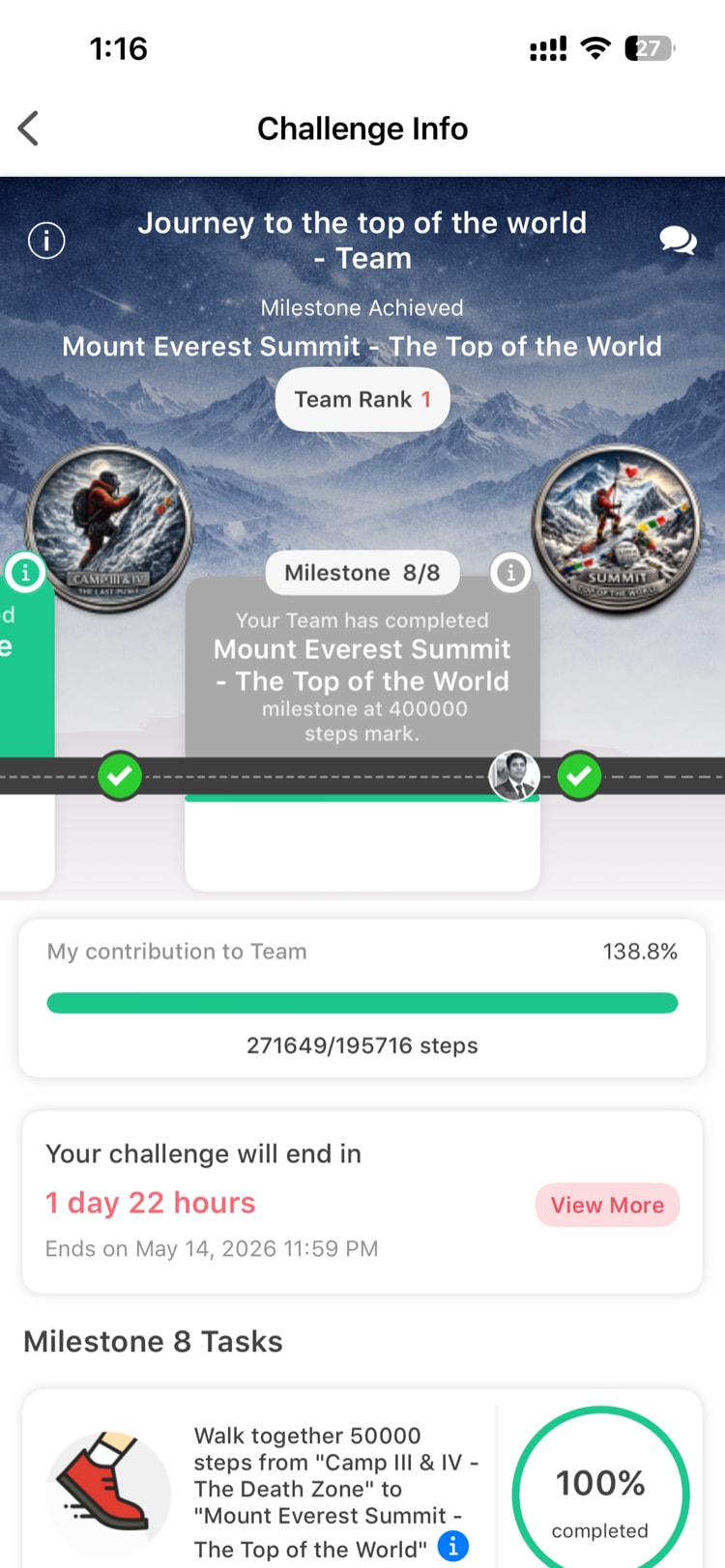
A milestone-based challenge that uses a visual map to track your progress. As you hit step milestones, you advance along a virtual route on the map. Vantage Fit provides three pre-built templates with different routes and distances.
Journeys add a narrative element to step tracking — instead of just watching a number climb, you’re “traveling” through landmarks and destinations.
Example: A 30-day journey where every 10,000 steps moves you to the next landmark on a virtual trail.
Streak
A daily consistency challenge. You set a daily target (like 8,000 steps or 30 active minutes), and the goal is to hit that target every single day for the duration of the challenge. Your streak count tracks how many consecutive days you’ve met the target.
Streaks reward consistency over intensity. Missing a single day resets your streak counter, so they’re designed to build daily habits.
Example: A 21-day “Daily Walker” streak where the target is 7,500 steps per day.
E-Marathon
A virtual marathon that converts your daily steps into distance. The app calculates how far you’ve walked based on your step count and stride length, tracking your progress toward marathon distances (5K, 10K, half marathon, full marathon, or custom distances).
E-Marathons give your step count real-world meaning by showing you how far you’ve actually traveled.
Example: A month-long virtual half marathon (21.1 km) where your daily steps accumulate toward the finish line.
Ops-Managed Challenges
These specialized formats are set up and managed by the Vantage Fit operations team. Your HR admin can request them, but they are not available for self-service setup.
Level Challenge
A progressive difficulty format where participants advance through levels by meeting escalating targets. Each level gets harder, testing how far participants can push themselves.
Marathon Event
A real-world GPS-tracked marathon. Unlike the E-Marathon (which converts steps to distance), Marathon Events use your phone’s GPS to track your actual running route in real time. These are typically tied to physical running events organized by your company.
Weight Burn
A weight loss challenge where participants track their weight over the challenge duration. Progress is measured by percentage of body weight lost, which levels the playing field between participants of different starting weights.
Training Plans
Structured multi-week fitness programs with prescribed daily workouts. Training Plans include specific exercises, sets, reps, and rest periods. They’re designed for participants who want guided fitness programming rather than open-ended tracking.
Note: These challenge formats may not be available to all companies. If you’re interested in one of these formats, ask your HR admin to contact your Vantage Fit account manager.
How to Tell Which Format You’re In
When you open a challenge, the format is indicated by its layout and features:
- Custom challenges show a weekly task list with multiple activity types
- Races prominently feature a leaderboard
- Journeys display a visual map with milestone markers
- Streaks show a consecutive-day counter
- E-Marathons show a distance progress bar
Joining a Challenge
Regardless of format, joining works the same way:
- Go to the Challenges tab
- Browse Active challenges available to you
- Tap on a challenge to see its details, rules, and duration
- Tap Join to participate
Some challenges may be auto-enrolled (your admin added you), in which case they’ll already appear in your active challenges list.
Need more help? Contact support from Settings → Help in the app.
Related articles: