Logging your meals is one of the most important habits for staying on top of your nutrition goals. Vantage Fit makes it easy with a powerful food search that helps you find what you ate and log it in seconds.
Searching for Food
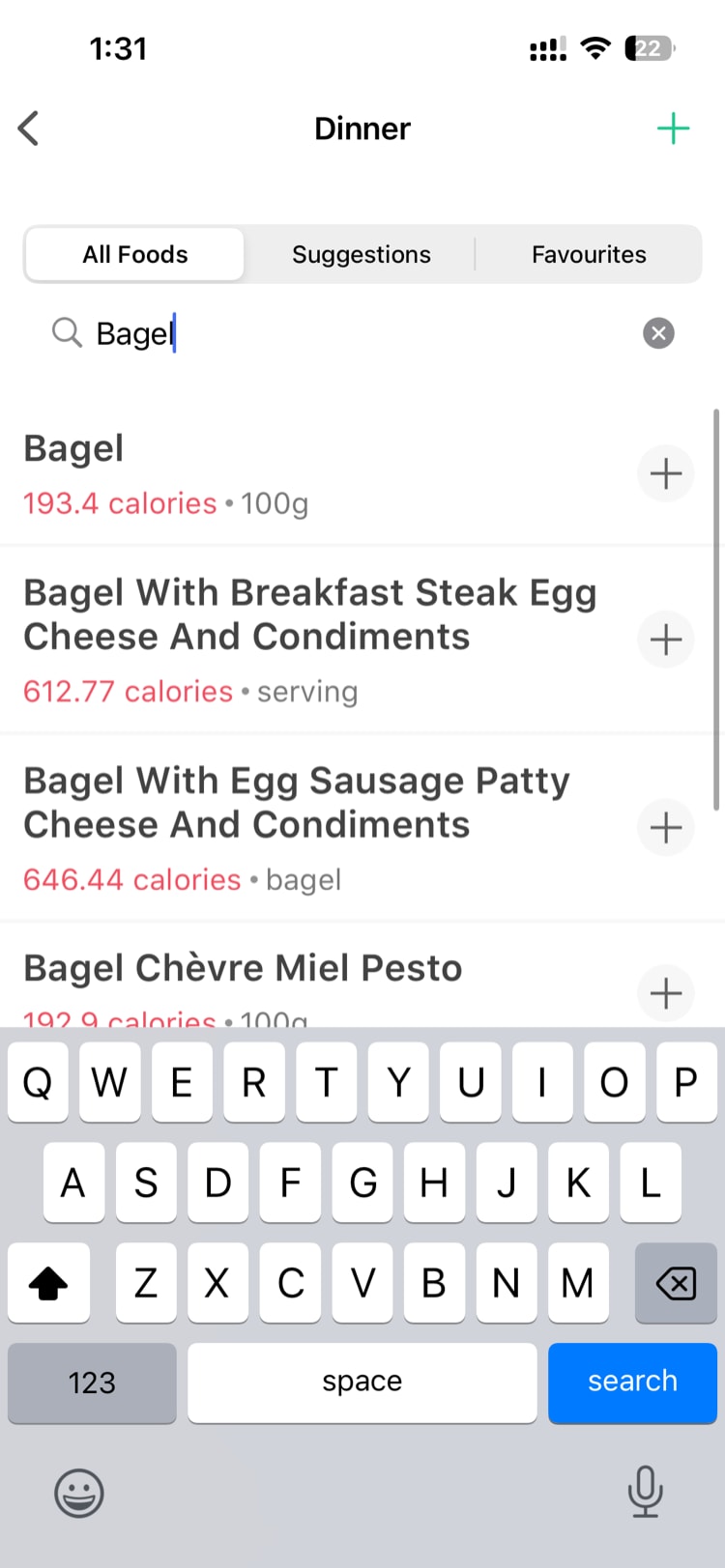
When you’re ready to log a meal, tap the Plus (+) button or navigate to the food logging section. You’ll see a search bar at the top.
- Type the name of the food you ate — for example, “chicken breast” or “dal rice”
- Results appear as you type — the search is fast and finds close matches even if your spelling is slightly off
- Tap the food item that matches what you ate
The search currently covers approximately 3,000-4,000 food items, and the database is being actively expanded to include more regional and international foods.
Selecting Serving Size and Quantity
After selecting a food item:
- Choose your serving size from the available options (e.g., 1 cup, 100g, 1 piece, 1 bowl)
- Adjust the quantity — if you had two servings, set the quantity to 2
- The nutritional breakdown updates in real time as you change these values
Nutritional Information
For every food item in the database, you’ll see:
- Calories — total calorie count for your selected serving
- Protein — grams of protein
- Carbs — grams of carbohydrates
- Fat — grams of fat
These values are calculated based on the serving size and quantity you selected.
Tip: Pay attention to serving sizes. A “1 cup” serving of rice has very different calories than a “100g” serving. Choose the unit that best matches what you actually ate.
What If Your Food Isn’t Found?
The database doesn’t cover everything — especially regional dishes, home-cooked recipes, or very specific preparations. If your food doesn’t appear in search results, you have two options:
Manual Entry
Tap the Manual Entry option to log a food that’s not in the database:
- Type the food name (this is just a label for your records)
- Enter the calorie count directly
- Optionally enter macros — protein, carbs, and fat in grams
- Save the entry
Manual entry is useful for regional foods, home-cooked meals, or when you know the nutritional content from the packaging but the item isn’t in our database.
Suggest a Food Item
If you’d like to see a food added to the database, use the Suggest a Food option. Submit the food name and any details you have, and the Vantage Fit team will review it for inclusion in a future database update.
Quick Tray: Your Frequent Foods
Tired of searching for the same breakfast every morning? The Quick Tray saves your most frequently logged foods for one-tap access.
- Foods you log regularly automatically appear in the Quick Tray
- Tap any item in the Quick Tray to log it instantly with the same serving size you used last time
- Adjust the quantity if needed before saving
This is a huge time-saver for people with consistent meal patterns. Instead of typing “oatmeal with banana” every morning, just tap it in the Quick Tray.
Tips for Accurate Food Logging
- Log meals as you eat them — it’s much easier to remember portions in the moment than at the end of the day
- Use the Quick Tray for your regular meals to save time
- When in doubt, use manual entry — an estimated calorie count is better than not logging at all
- Check serving sizes carefully — the difference between “1 tablespoon” and “1 cup” of peanut butter is significant
Need more help? Contact support from Settings → Help in the app.
Related articles: