Vantage Fit includes a library of wellness content to help you learn about fitness, nutrition, mental health, and more. From quick reads to in-depth videos and podcasts, there’s something for every interest and schedule.
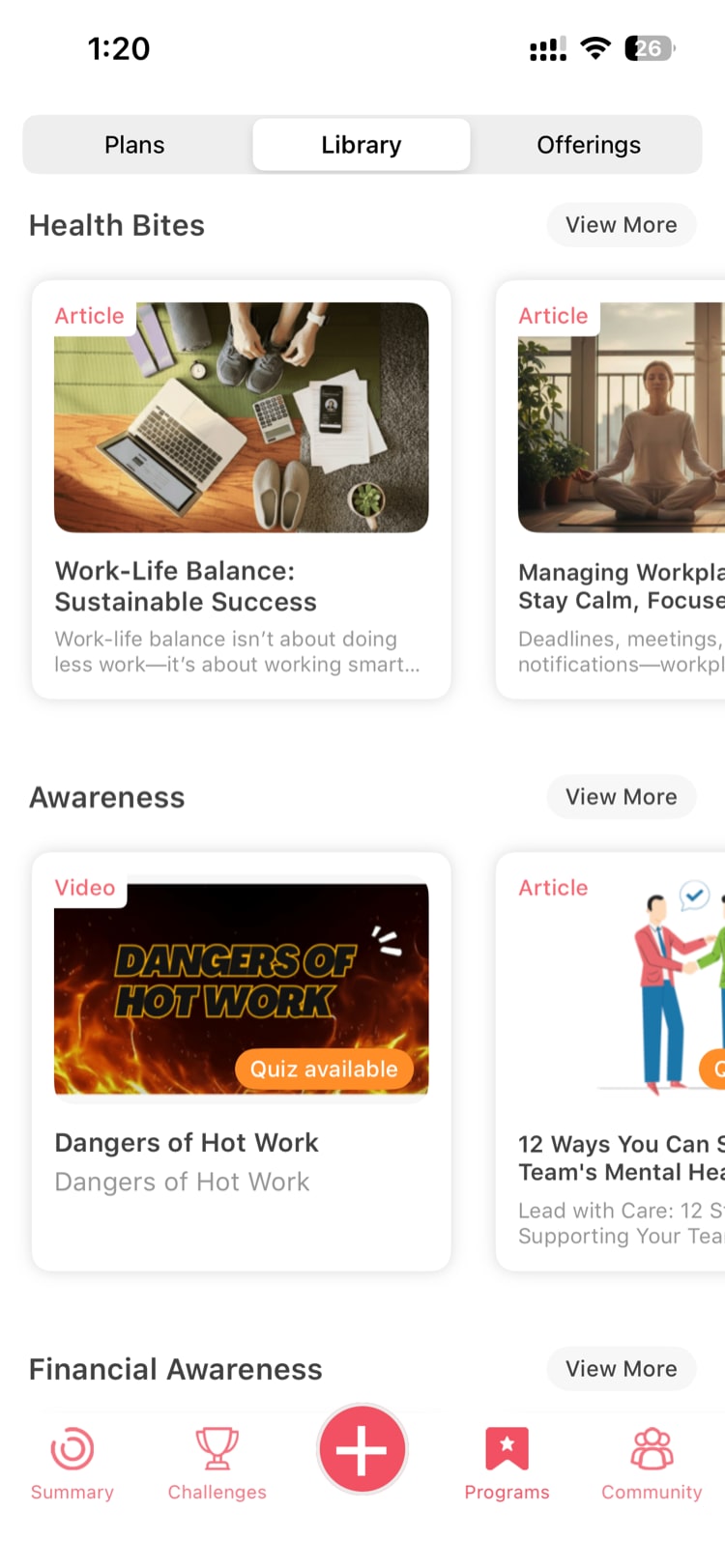
Where to Find the Content Library
- Tap the Programs tab at the bottom of the app
- Look for the Library section
The Library is your central hub for all wellness content available through your organization’s Vantage Fit subscription.
Content Categories
The Library organizes content into several categories:
Articles
Written content covering a wide range of wellness topics — nutrition tips, exercise guides, mental health strategies, sleep hygiene, and more. Articles are typically a 3-5 minute read.
Videos
Visual content including workout demonstrations, expert talks, guided exercises, and wellness tutorials. Videos range from short clips (2-3 minutes) to longer sessions (15-30 minutes).
Podcasts
Audio content you can listen to during your commute, walk, or downtime. Topics include fitness motivation, health expert interviews, mindfulness practices, and wellness education.
Webinars
Recorded or live presentations from wellness experts on specific topics. These tend to be longer-form content (30-60 minutes) and may cover topics in greater depth.
Browsing and Discovering Content
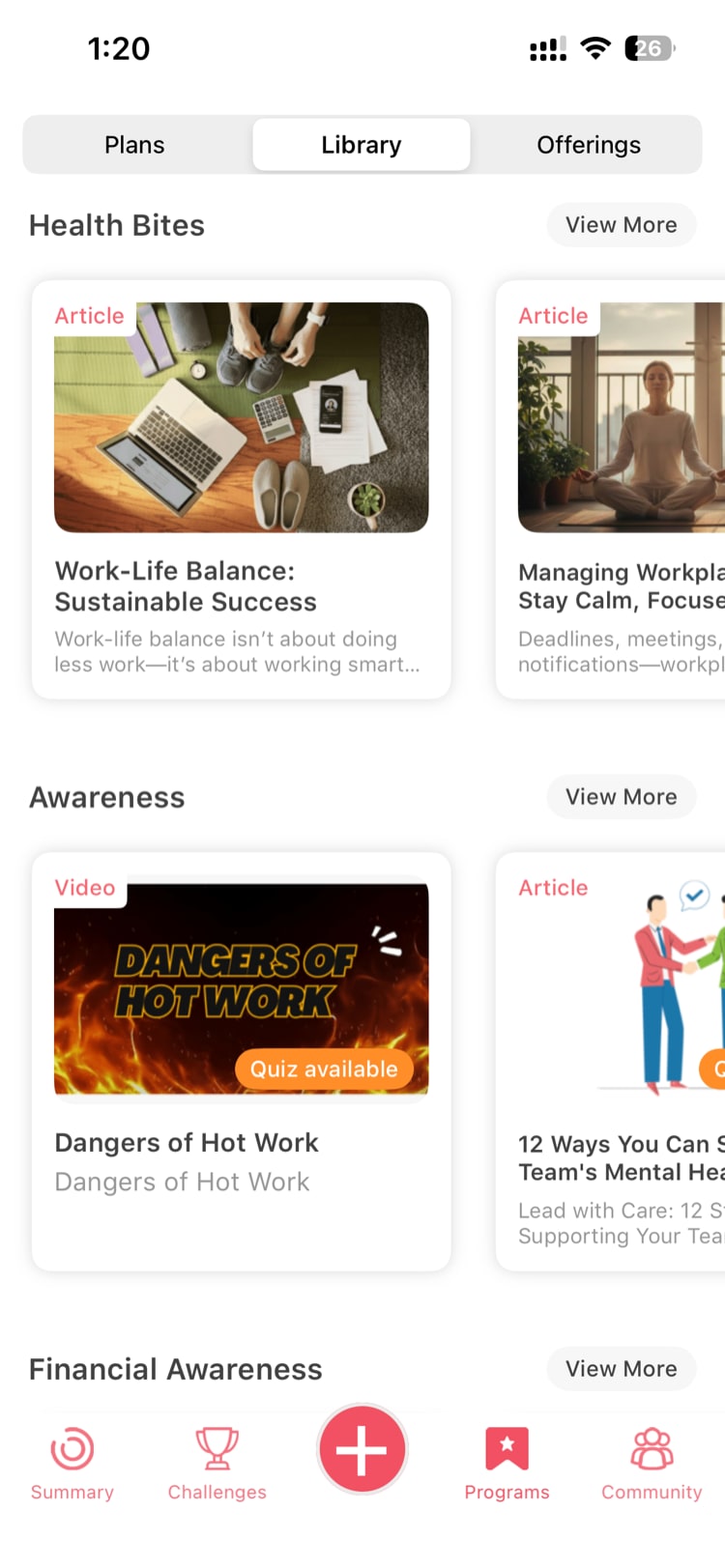
Featured Content Carousel
At the top of the Library, you’ll find a featured content carousel highlighting recommended or trending content. Swipe through to discover curated picks.
Browse by Category
Tap on any category (Articles, Videos, Podcasts, Webinars) to see all available content in that format. Within each category, content may be further organized by topic (nutrition, fitness, mental health, etc.).
Search
Use the search bar to find content on a specific topic. Type a keyword and see matching results across all content types.
Consuming Content
Reading an Article
Tap on any article to open it. Read at your own pace. The article displays in a clean, mobile-friendly format.
Watching a Video
Tap on a video to start playback. Videos play within the app with standard controls (play/pause, scrub, volume, fullscreen).
Listening to a Podcast
Tap on a podcast episode to start audio playback. You can continue listening while browsing other parts of the app.
Tip: Bookmark content you want to come back to later. Look for the save or bookmark icon on any content piece.
Content and Challenges
Some wellness challenges include content tasks — tasks that require you to watch a video, read an article, or complete a quiz. When content is tied to a challenge:
- The content piece appears in your challenge task list
- You need to complete the content (reach the end of the article or video) for it to count
- Some content pieces include quizzes at the end. Your quiz completion is tracked and counts toward your challenge progress.
This means browsing the Library isn’t just for learning — it can directly contribute to your challenge completion and point earnings.
Note: For challenge-linked content, make sure you complete it fully. Partially watched videos or unfinished articles typically don’t count toward task completion.
Tips for Getting the Most From the Library
- Set a daily learning habit — Even 5 minutes of wellness reading or a short video can expand your knowledge
- Check for new content regularly — The Library is updated with fresh content periodically
- Follow challenge-linked content first — If you’re in an active challenge, prioritize the content tasks to earn points
- Mix formats — Try articles when you have quiet focus time, podcasts during walks, and videos during breaks
Need more help? Contact support from Settings → Help in the app.
Related articles: