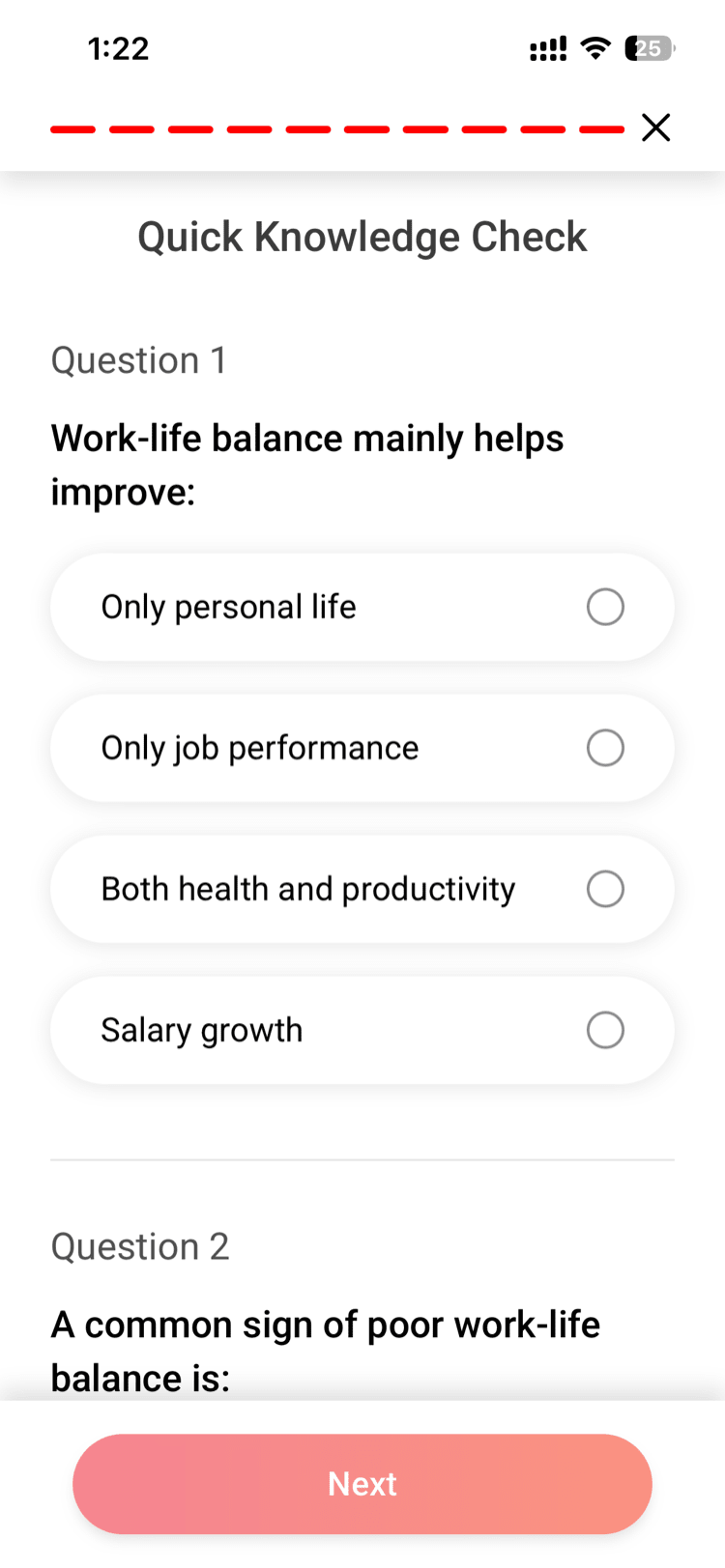
Some articles and videos in Vantage Fit have quizzes attached to them. After you read an article or watch a video, you answer a short set of questions to test what you learned. Completing a quiz counts as an activity — it can contribute to your challenge score and wellness tracking.
How It Works
- Browse content in the app — articles, videos, and other wellness content.
- Consume the content — read the article or watch the video.
- Take the quiz — if a quiz is attached, it appears after you finish the content.
- Answer the questions — select your answers and submit.
- See your results — your quiz results are shown immediately after submission.
- Earn credit — completing the quiz is tracked as an activity.
What Counts as Completion
The key activity is completing the quiz — submitting your answers. This is what the system tracks and records.
- You do not need to get every answer correct to earn completion credit.
- The quiz must be fully submitted (all questions answered) to count.
- Partial completion (answering some questions but not submitting) does not count.
Tip: Even if you are unsure of an answer, submit your best guess. Completion is what matters for activity tracking. The quiz is a learning tool, not an exam.
How Quizzes Connect to Challenges
If a challenge includes a Content task type (e.g., “Complete 2 content pieces this week”), quizzes count toward that task:
- Reading an article and completing its quiz = 1 content activity completed.
- Watching a video and completing its quiz = 1 content activity completed.
- The challenge tracks how many content activities you complete against the weekly target.
Example: A challenge task says “Complete 3 content pieces this week.” You read 2 articles with quizzes and watch 1 video with a quiz. You have completed 3/3 content activities for the week.
How Quizzes Connect to Wellness Scoring
Content quiz completions also contribute to your broader wellness metrics:
- Participation — completing quizzes counts as app engagement, contributing to your Participation component.
- Adherence — if a challenge requires content completion, finishing quizzes improves your Adherence score.
Quiz Results
After submitting a quiz, you see your results immediately:
- Correct and incorrect answers — see which questions you got right and wrong.
- Correct answers shown — for any question you missed, the correct answer is displayed so you can learn from it.
Results are for your information only. There is no pass/fail threshold — completing the quiz is what earns activity credit.
Finding Content with Quizzes
Not all content has quizzes attached. To find content with quizzes:
- Browse the Content section in the app.
- Look for content items that indicate a quiz is available (typically shown with a quiz icon or label).
- Your HR admin may also include specific content items as challenge tasks — these often have quizzes.
Note: The content library is managed by your company’s HR admin. The available articles, videos, and quizzes may vary depending on your company’s content configuration.
Best Practices
- Read the content before taking the quiz. The questions are based on what you just read or watched. A quick read-through helps you answer confidently.
- Complete quizzes during challenge weeks. If your challenge has a content task, prioritize quiz completion during the challenge period to earn your points.
- Use quizzes as a learning tool. The quiz results show you what you missed. Take a moment to review the correct answers — the content is designed to support your wellness knowledge.
- Check for new content regularly. New articles and videos with quizzes may be added throughout the month. Checking back keeps your content completion numbers up.
Need more help? Contact your HR admin or reach out to Vantage Fit support at support@vantagecircle.com.
Related articles: