Vantage Fit has a food database of approximately 3,000-4,000 items, and it is continually being expanded. However, you may occasionally search for a food that is not yet in the database. Here are your options.
Option 1: Use Manual Entry
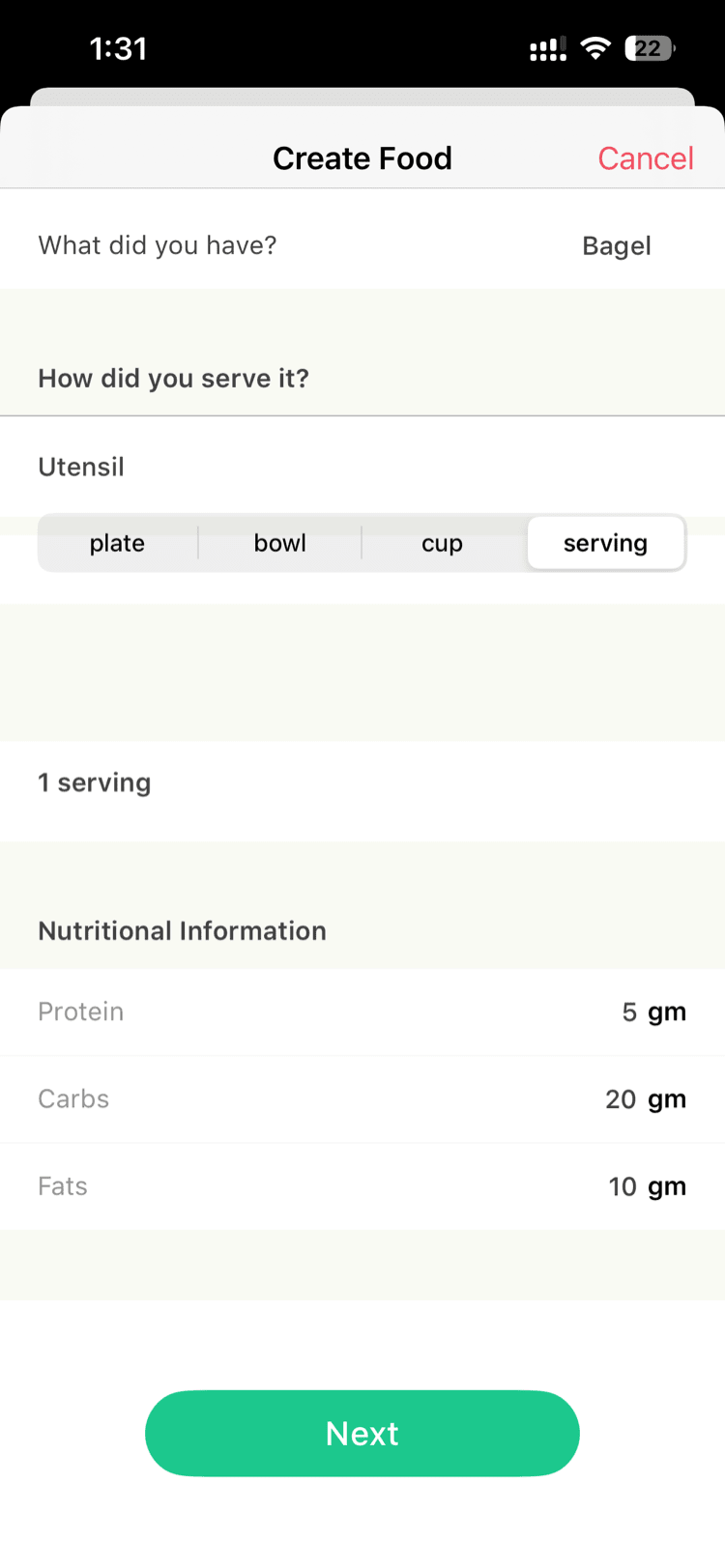
You can manually enter any food item with its nutritional details.
- Go to the Food Logging section in the app.
- Search for your food item.
- If it is not found, select Manual Entry (or type the food name and tap enter).
- Enter the food name.
- Enter the calories and macros (protein, carbs, fat) directly.
- Save the entry.
Tip: If you are unsure about the nutritional values, check the food packaging or do a quick web search for “[food name] nutrition facts.” Most common foods have calorie information readily available online.
Option 2: Suggest a Food
If you think a food item should be in the database, you can request that it be added.
- In the food search screen, look for a “Suggest a food” option.
- Enter the food name and any details you have (brand, serving size, etc.).
- Submit the suggestion.
The Vantage Fit team reviews suggestions and adds popular items to the database in updates.
Note: Suggested foods are not added instantly. It may take a few weeks for the item to appear in the database. In the meantime, use manual entry.
Option 3: Use Quick Tray
If you eat the same foods regularly, the Quick Tray feature saves you time.
- Log a food item once (even via manual entry).
- The food appears in your Quick Tray for fast access.
- Next time, just tap the item from Quick Tray instead of searching or entering it again.
Quick Tray remembers your recently and frequently logged foods, so your personal favorites are always one tap away.
Tips for Accurate Food Logging
- Check serving sizes. The same food can have very different calorie counts depending on portion size. A cup of rice is different from a plate of rice.
- Log meals as they happen. It is easier to remember portions and details right after eating than at the end of the day.
- Use brand-specific entries when available. “Starbucks Caffe Latte” will be more accurate than a generic “latte” entry.
- Round estimates are fine. Food logging does not need to be perfect. A rough estimate is still valuable for tracking trends.
Need more help? Contact support from Settings → Help in the app.
Related articles: