If you need to delete your Vantage Fit account, you can do so directly from the app. The process includes an OTP verification step to protect against accidental deletion.
How to Delete Your Account
- Go to your Profile.
- Tap Delete My Account.
- Read the confirmation warning that explains what will happen.
- An OTP (One-Time Password) is sent to your registered email address.
- Enter the OTP in the app.
- Your account is deleted.
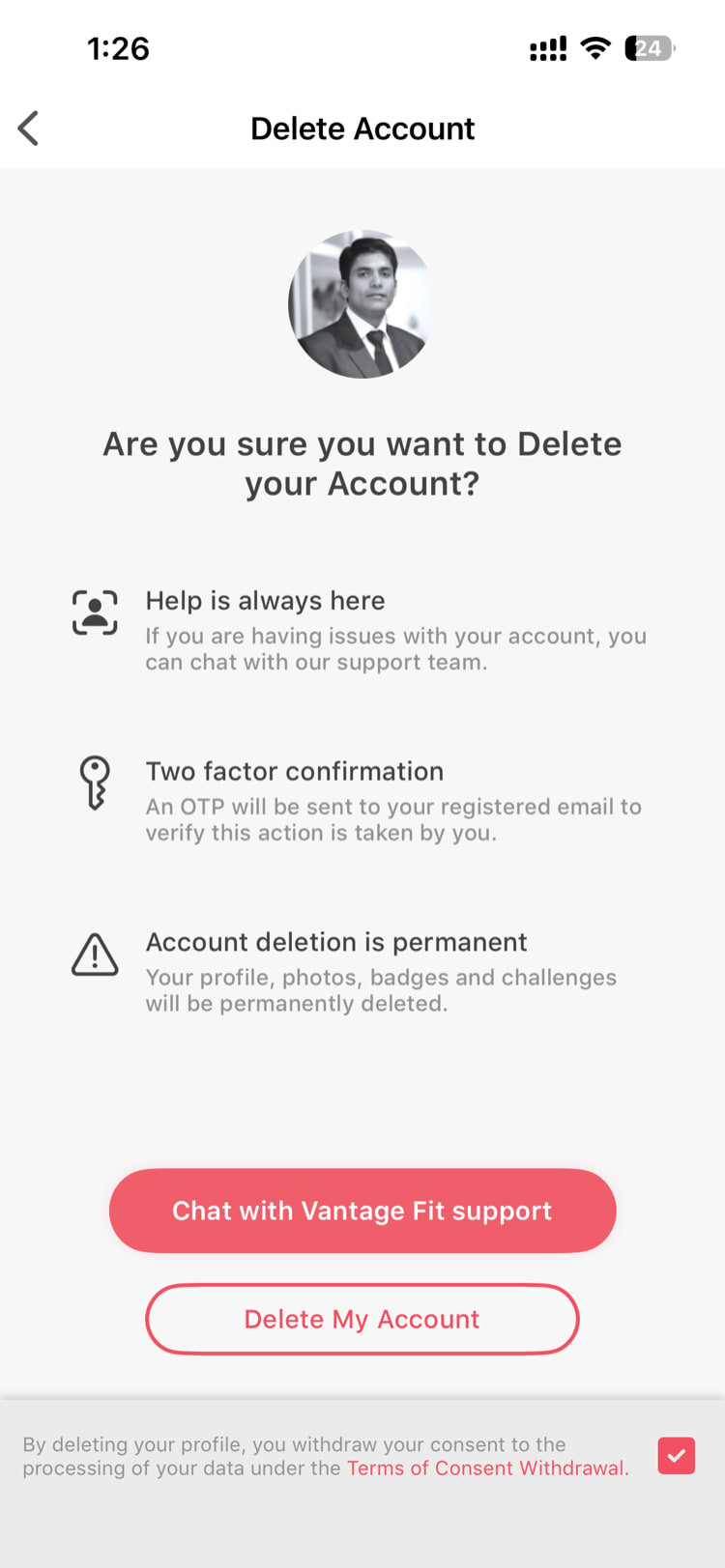
Note: This action is permanent. Make sure you really want to proceed before entering the OTP.
What Happens When You Delete
Here’s exactly what occurs when your account is deleted:
- Your name and email are anonymized. Personal identifying information is removed from the system.
- Your session is cleared. You’re logged out immediately and cannot log back in with the same credentials.
- Historical data is preserved (anonymized). Your past activity data remains in the system for aggregate reporting purposes, but it’s no longer linked to your identity.
- Challenge scores and leaderboard entries associated with your account are removed.
Company-Specific Variations
Account deletion behavior can vary depending on how your company has configured Vantage Fit:
Deletion Disabled
Some companies disable the self-service account deletion option. If you don’t see the “Delete My Account” option in your profile, your company has turned it off. In this case, contact your HR admin to request account deletion.
VFit-Only Deactivation
Some companies offer a VFit-only deactivation option instead of full deletion. This means:
- Your Vantage Fit account is deactivated (no more challenges, no more fitness tracking).
- Your VantageCircle R&R account remains active — you can still receive recognition, redeem rewards, and access the VantageCircle platform.
This is useful if you want to stop using the fitness app but continue participating in the Rewards & Recognition program.
Note: Ask your HR admin which option is available for your company if you’re unsure.
Before You Delete
Consider these alternatives before deleting:
- Leaderboard opt-out — If privacy is your concern, you can hide from the leaderboard without deleting your account. See Can I Opt Out of the Leaderboard?.
- Simply stop using the app — You can leave the app installed but inactive. Your data stays, but there’s no obligation to log or participate.
- Talk to HR — If you have concerns about the wellness program, your HR admin may be able to address them.
Need more help? Contact support from Settings → Help in the app.
Related articles: